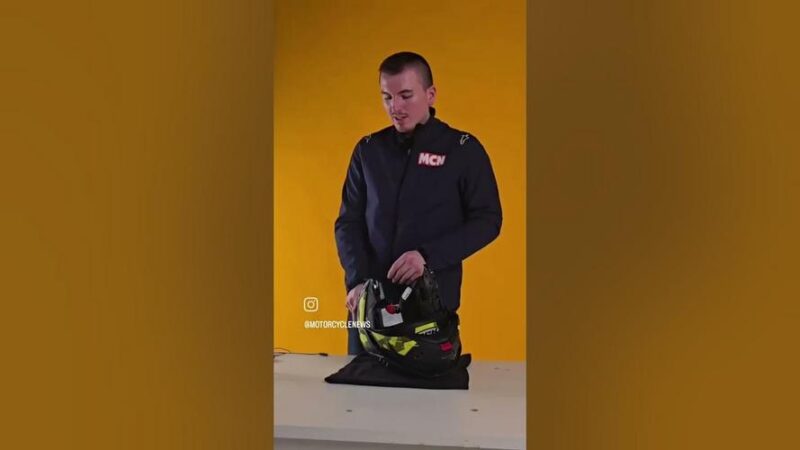
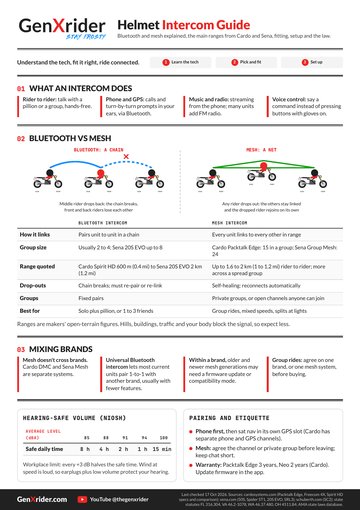
Motorcycle News presents a short video guide on fitting a Cardo Freecom 4X intercom into an HJC i80 helmet. The video begins with an unboxing that shows all parts, including speakers, two microphones, a mounting plate, and connecting wires.
Viewers see how to remove cheek pads and the inner liner without damaging the helmet. The presenter demonstrates speaker placement in the ear recesses, securing wires along the existing channels for a flush fit. The video also explains the choice between boom and wired microphones, depending on whether the helmet is open-faced or full-face.
Once the hardware is fitted, the Freecom 4X clips into the mount on the helmet’s side. The video ends by pairing the device with a smartphone and running a quick sound test.
The process takes about 20 minutes for those familiar with helmet interiors. The guide aims to help riders get a clean installation that maintains comfort and sound quality. Motorcycle News notes that following the steps in sequence avoids cable strain and ensures reliable voice and music functions on rides.
My two cents…
Motorcycle News just dropped a handy “don’t-snap-your-helmet” tutorial for installing a Cardo Freecom 4X into an HJC i80. Starts with the usual gadget-porn unboxing, speakers, mics, mounts, spaghetti of wires, then moves into the delicate surgery of pulling out liners and cheek pads without turning your lid into modern art. Enjoy!
Click on the link below for the full article:
https://www.youtube.com/shorts/JzuieHXtWQs